Arrowhead Transit
Role
Lead Product Designer
Tools
Figma, Whimsical, Notion, Airtable
Year
Overview
A schedule that lived in one file, rebuilt as a platform everyone could see
Arrowhead Transit books more than 100 healthcare transport rides a day, connecting patients in a rural service area to their appointments. Before this project, the entire schedule lived in a single Access database file — copied by hand between desks, with no login and no way to work outside the office.
I replaced it with a live dispatch platform dispatchers, drivers, and billing could all see at once — from a design audit of the existing tool through this shipped platform.
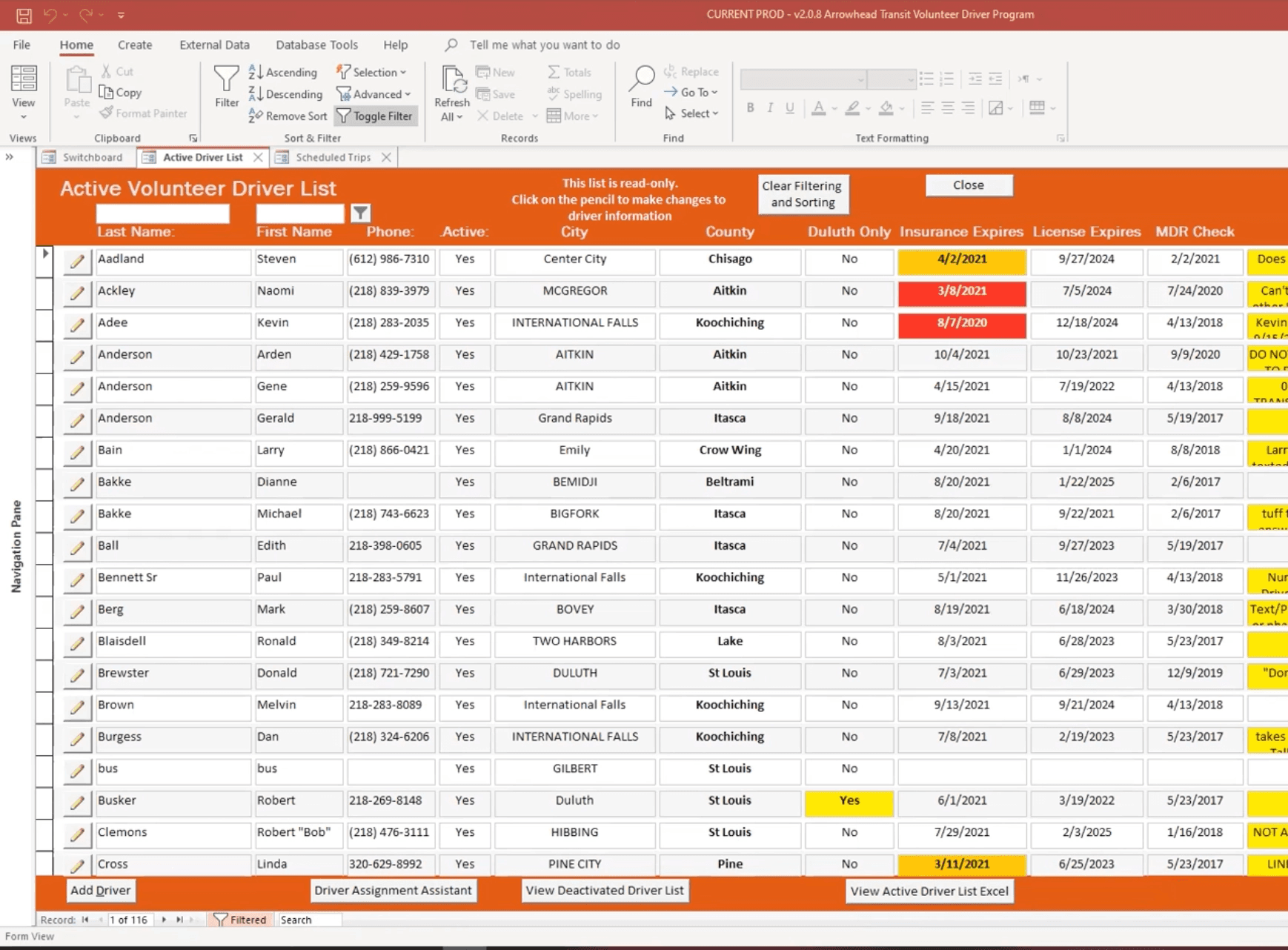
The entire operation, in one Access file — no login, no history, no way to work outside the office.
Pain Points
A system that worked against the people who depended on it
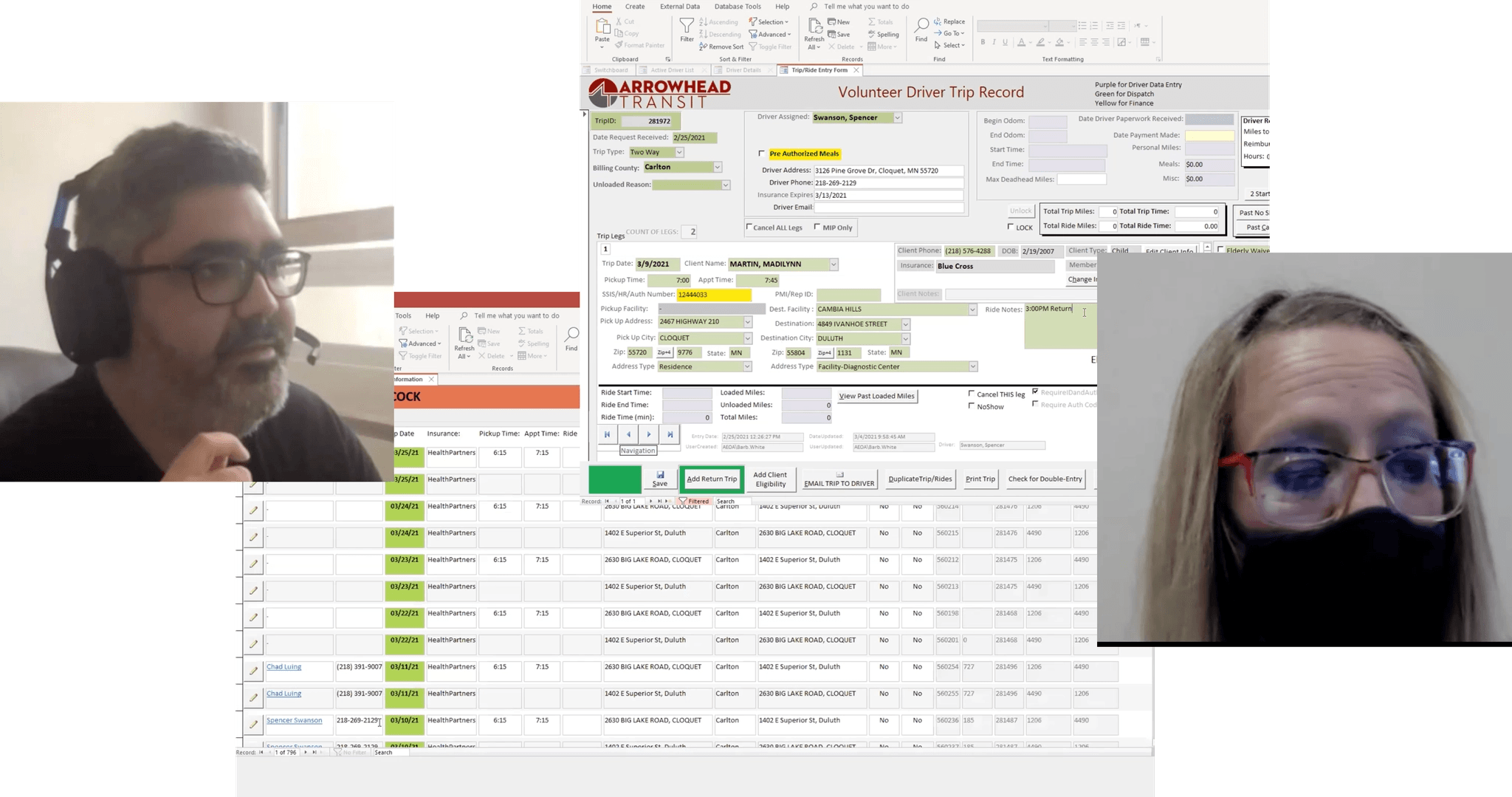
The entire schedule lived in a single Access database file, copied by hand between desks. There was no login and no way to work outside the office, so dispatchers entered every ride manually, one leg at a time — a workflow slow enough that planning more than two or three days out was rare.
Every schedule change meant a phone call, or a paper form a driver filled out on the road and handed in later. Referrals were also arriving from multiple insurance and referral sources — Laserfiche, Novus — entirely outside the system, so dispatchers were hunting new rides down by hand before they could even schedule them.
Project Scope and Design
Audit, interviews, a golden path — then one queue for referrals
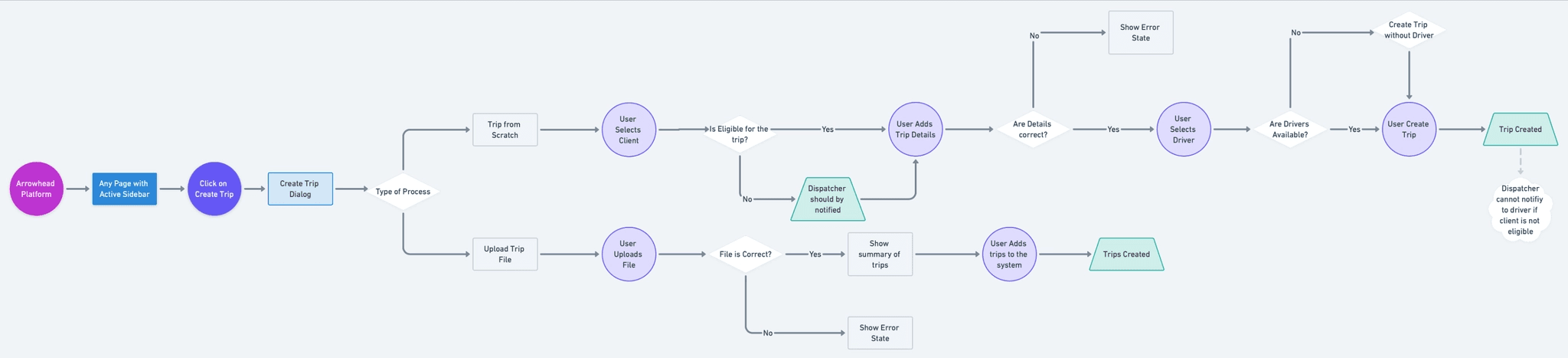
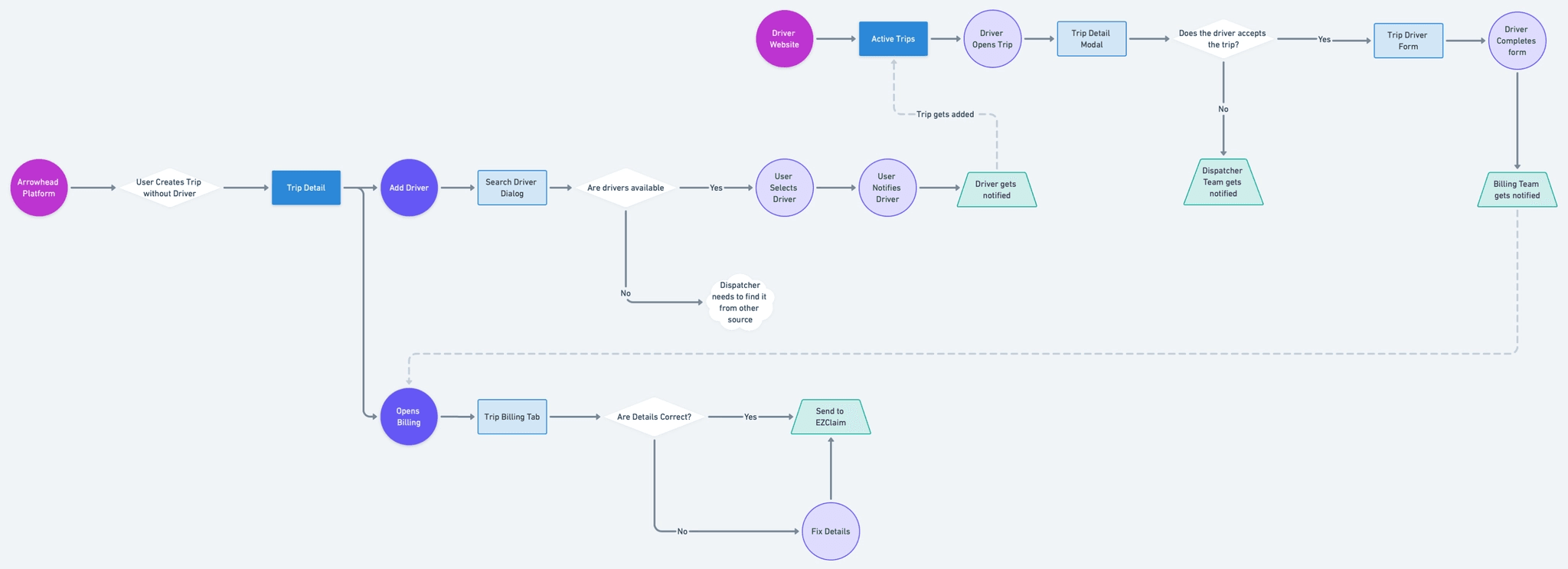
I started with a design audit of the existing tool, then sat down with dispatchers to walk through their day-to-day. Those conversations became golden-path flows and a sitemap defining who could see and edit what, before a single screen was wireframed.
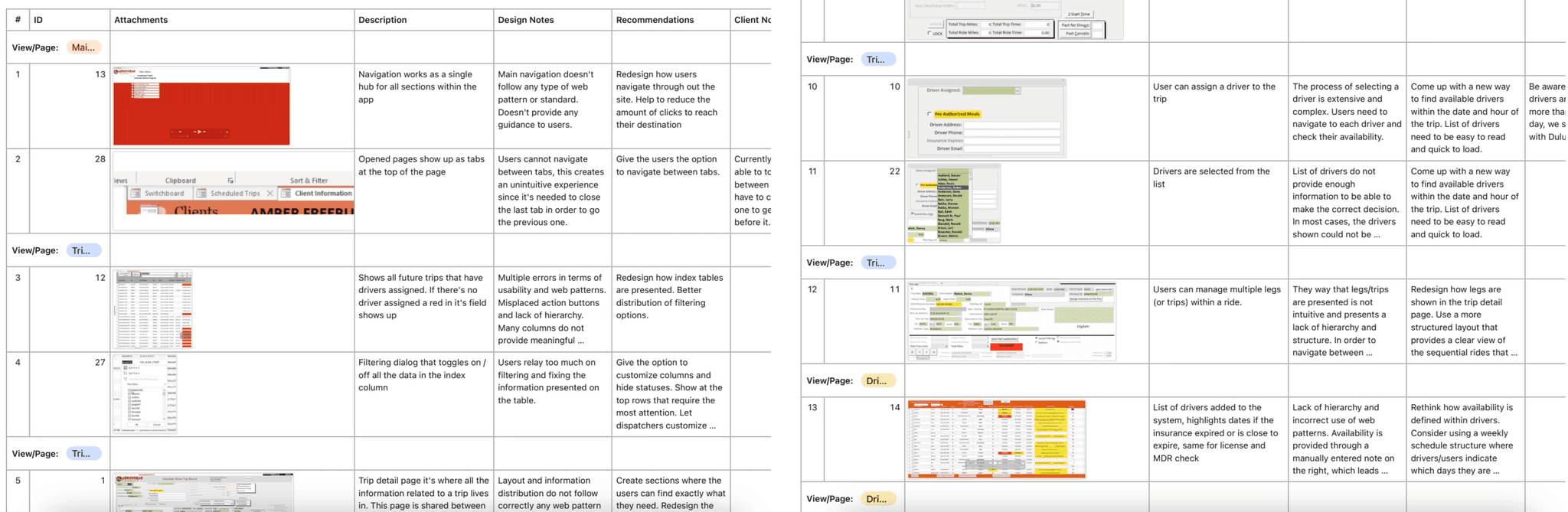
Design audit — comparing requirements against design impact.
Sitemap — view and edit permissions defined by role.
The golden path — a ride from booking through dispatch to completion.
One queue for every outside referral
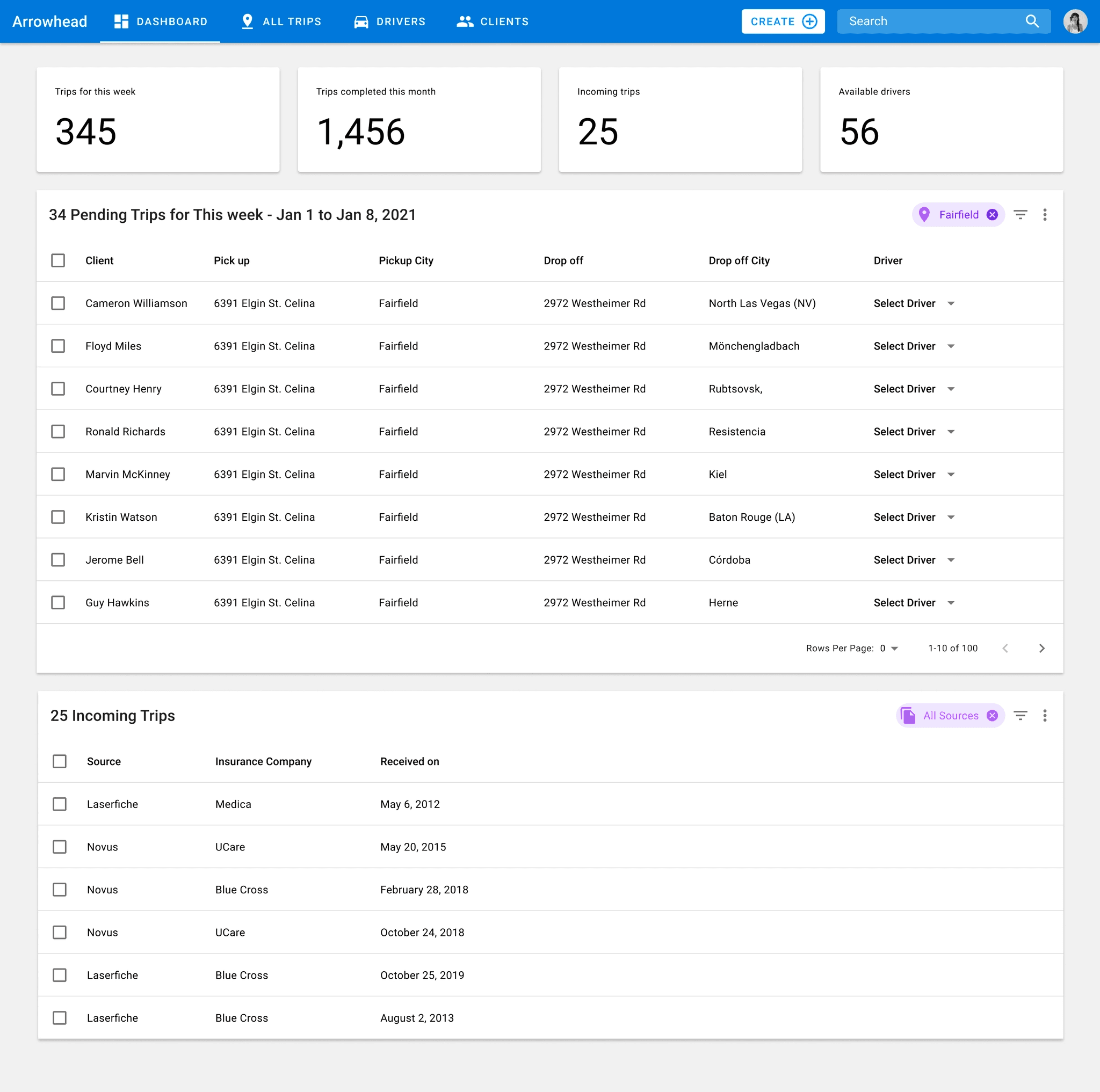
Ride referrals were arriving from multiple insurance and referral sources — Laserfiche, Novus — entirely outside the old system, and dispatchers were hunting them down by hand. I gave every external referral one landing point: an Incoming Trips queue, visible the moment a request comes in.
The Incoming Trips queue, replacing three separate inboxes.
Challenges
Two hard calls: who to trust, and what to build from scratch
One of the harder calls in this project was about trust, not technology. Drivers needed live visibility into logs, routes, and trip details, but editing rights on that data belonged to dispatch — a distinction that isn’t a comfortable one to design for, since it tells a driver directly what they can and can’t touch. I scoped the driver view to read-only, with one deliberate exception: odometer and time entries on billing, the two fields only a driver on-site could actually verify. The exception mattered as much as the rule — a system that trusted no one wouldn’t have held up any better than one that trusted everyone.
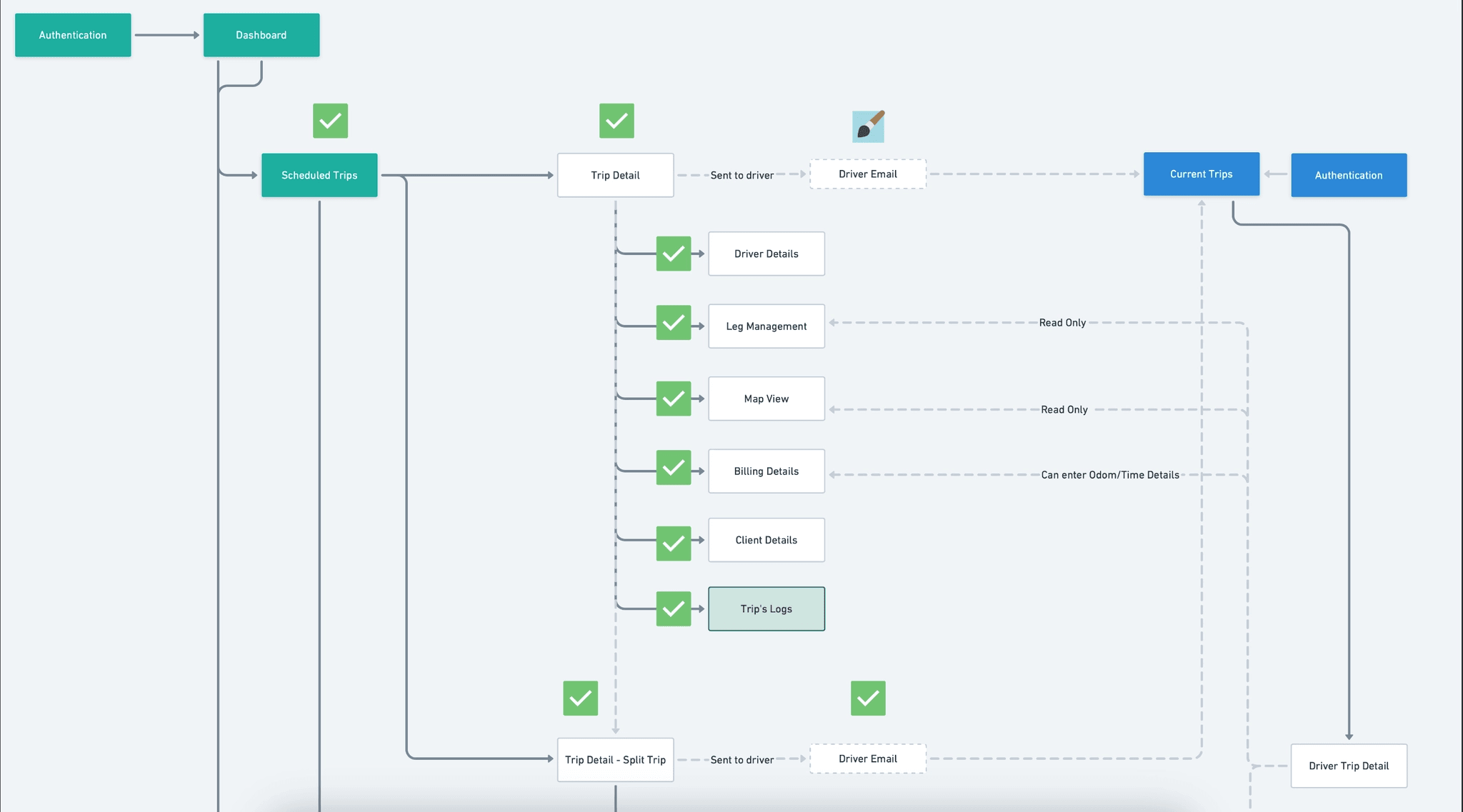
Permission boundaries by role, from the sitemap.
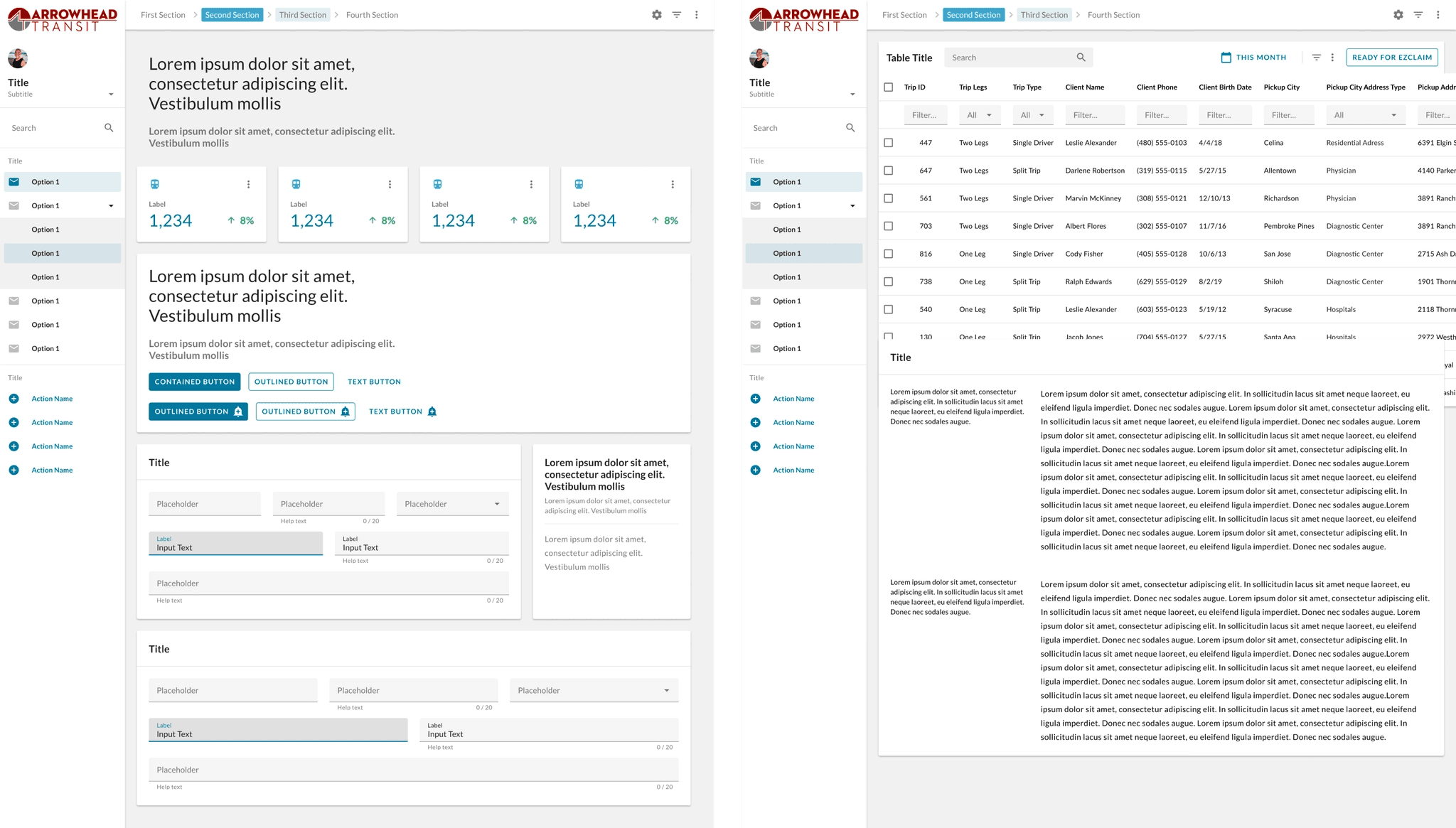
The other constraint was money and time, not people. This ran on a nonprofit’s timeline, not a greenfield brand budget, and building a fully custom visual system from zero wasn’t a realistic use of either. Instead, I adapted my studio’s existing design system to Arrowhead Transit’s brand — a deliberate trade of a fully bespoke look for the weeks that went into the actual workflows instead. It’s a less flattering thing to put in a case study than an original brand system, but it was the right call for what this project actually needed.
The studio's design system, adapted rather than rebuilt from zero.
Strategic Contributions
What I owned, start to finish
My role covered the full arc of this project: the design audit, dispatcher interviews, golden-path flow mapping, sitemap and permission design, and UI design for the shipped platform — handed off to engineering through prototypes in Figma and documentation in Notion.
The Final Phase
One platform, replacing a database and a phone line
The Access file is gone. Dispatchers, drivers, and billing now work from one live platform instead of a local database file, a phone line, and a stack of paper forms.
Dispatchers plan two weeks out instead of two or three days. Driver tracking replaced phone-and-SMS check-ins with real-time visibility. Referrals land in one queue instead of three separate inboxes, and manual entry is largely gone from the workflow.
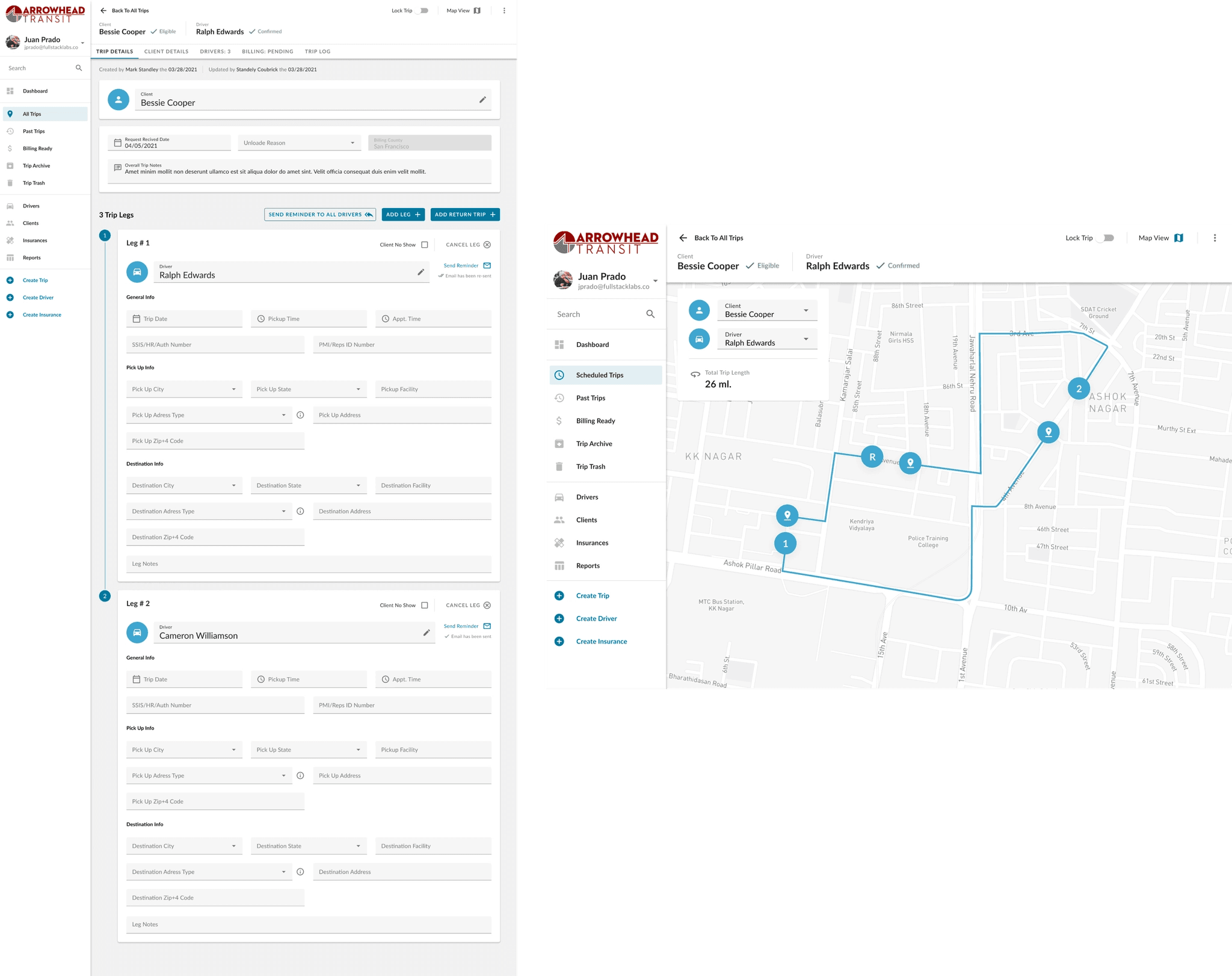
Arrowhead Transit today — trips this week, incoming referrals, and available drivers, all live.
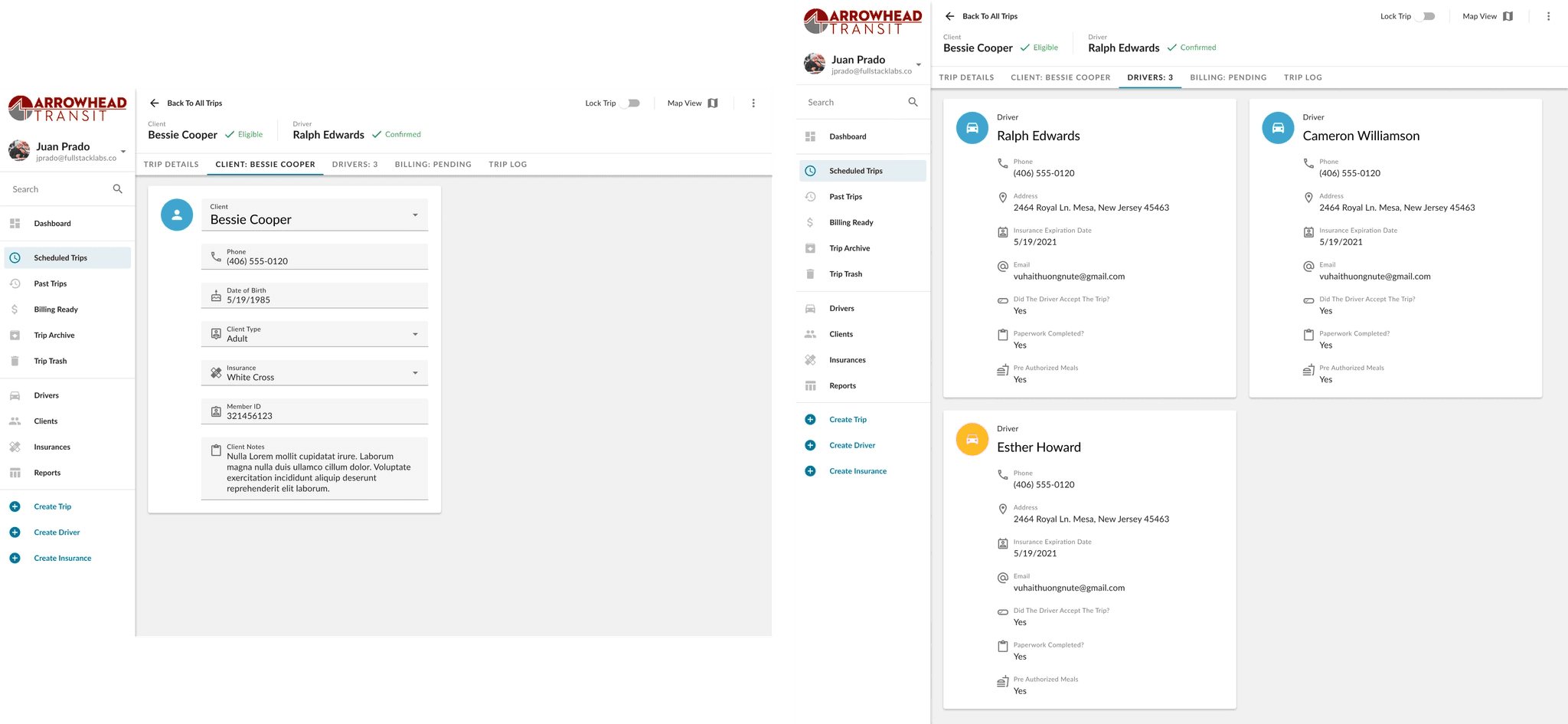
Incoming referrals — every outside request in one queue.
Trip detail — a live route on the map.
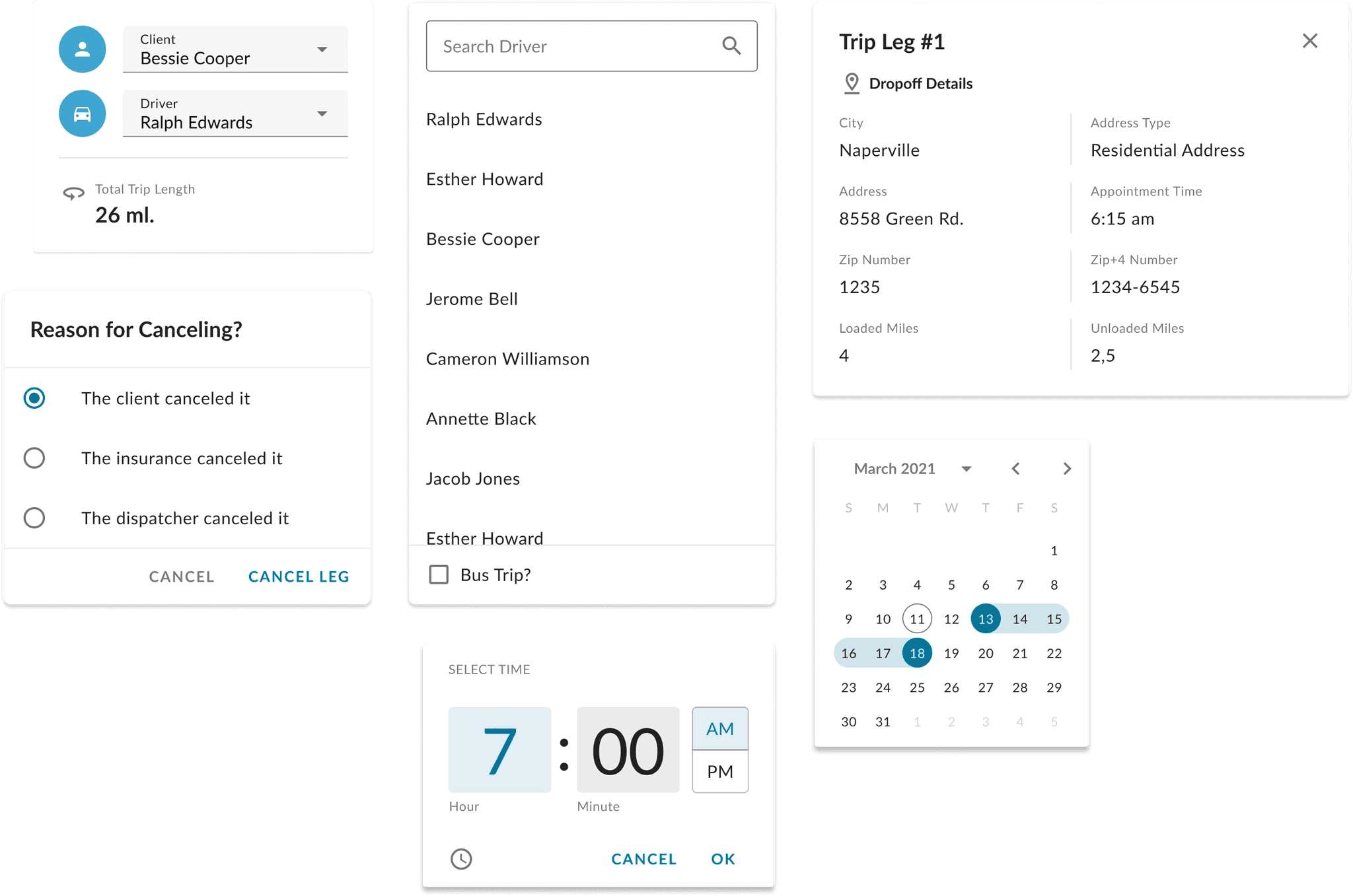
Driver tracking — an active route, in real time.