Github’s Security Findings
Role
Staff Product Designer
Tools
Figma
Year
Overview
One workflow, from a raw alert to a resolved finding
Github’s Security Findings helps CTOs and engineering managers ensure code security and reliability by tracking alerts, notifying the right stakeholders, and guiding issues to resolution. I joined as staff product designer on this client project, designing in Figma.
Security alerts are only useful if they reach the right person at the right time. Most teams deal with noisy dashboards, unclear ownership, and no clear path from alert to resolution.
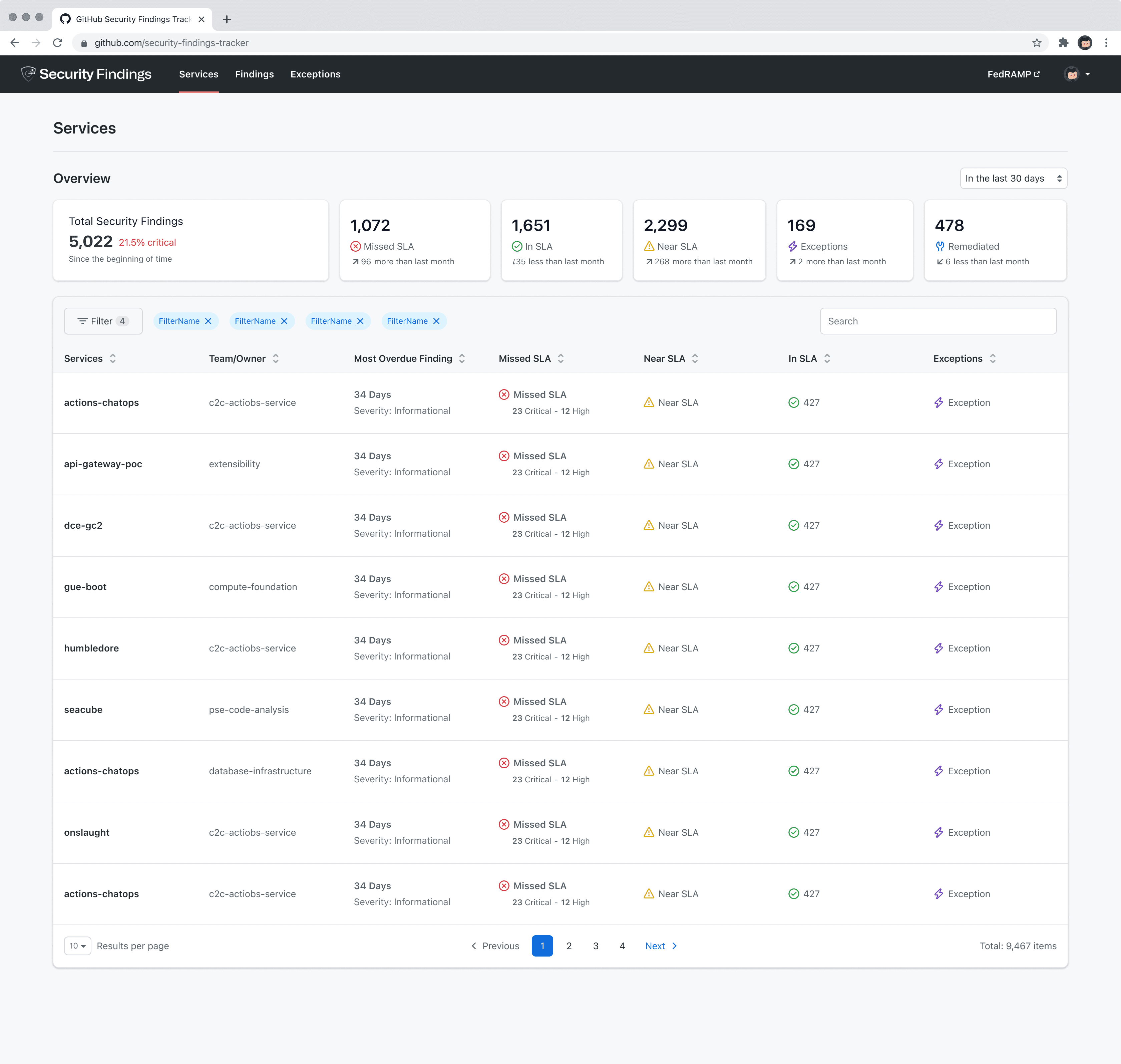
The findings overview — total findings and SLA status across every service.
Pain Points
Noisy dashboards, and no record of who owned what
Security dashboards were noisy by default — every finding surfaced with the same visual weight, regardless of severity or who was actually responsible for it. A CTO scanning for organizational risk saw the exact same view as a manager who needed to fix one specific vulnerability today.
Nothing in the existing tooling tracked a finding from the moment it was flagged to the moment it was actually resolved. Issues could sit unassigned indefinitely, with no clear record of who owned them or what happened next.
Project Scope and Design
A workflow, not just a dashboard
I designed the workflow end to end — from how a finding first surfaces, through assigning ownership, to the remediation steps that actually resolve it. Every screen had to answer the same question: whose job is this right now, and what do they need to do next.
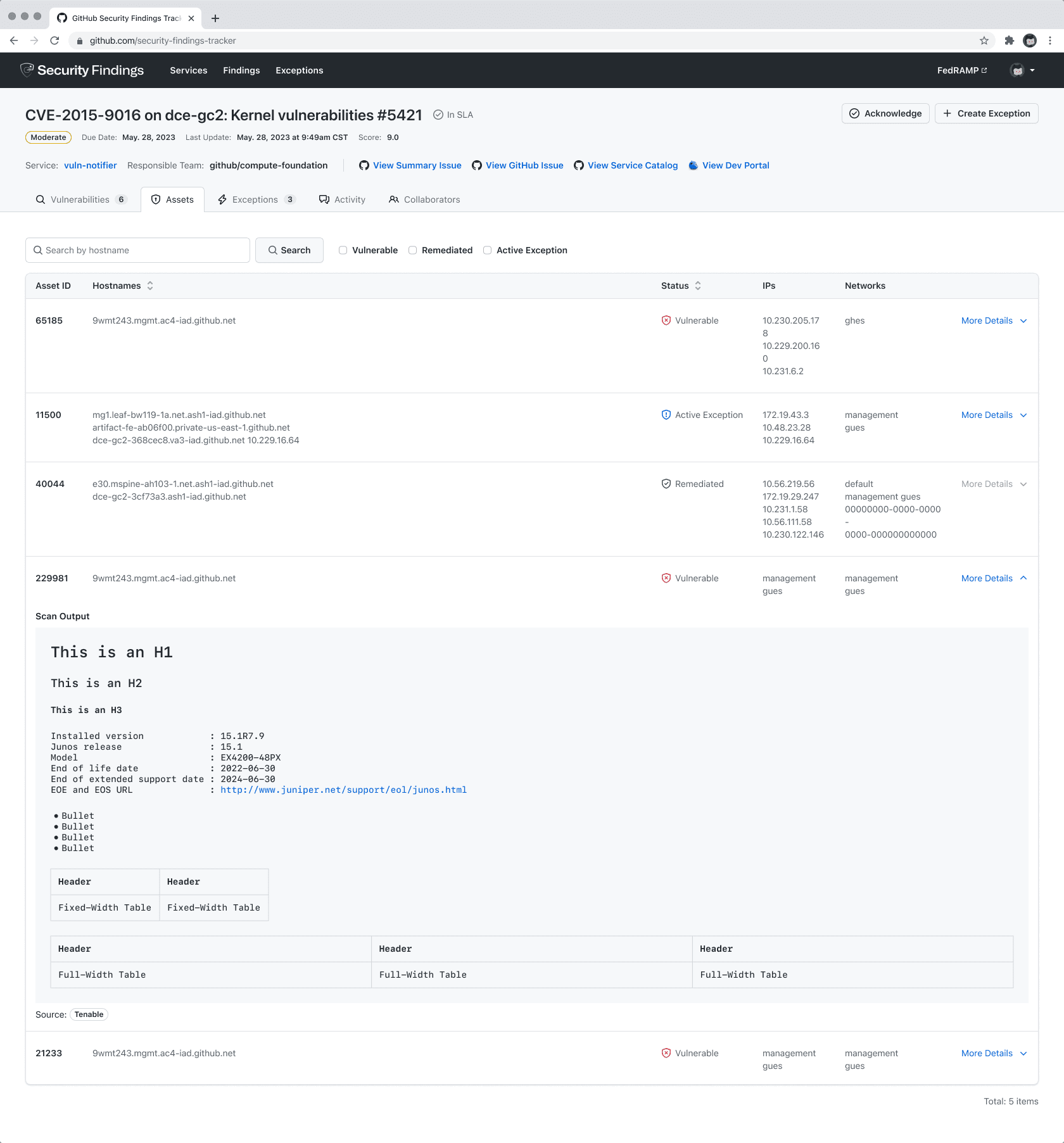
Remediation — selecting which CVEs to address, ranked by risk score.
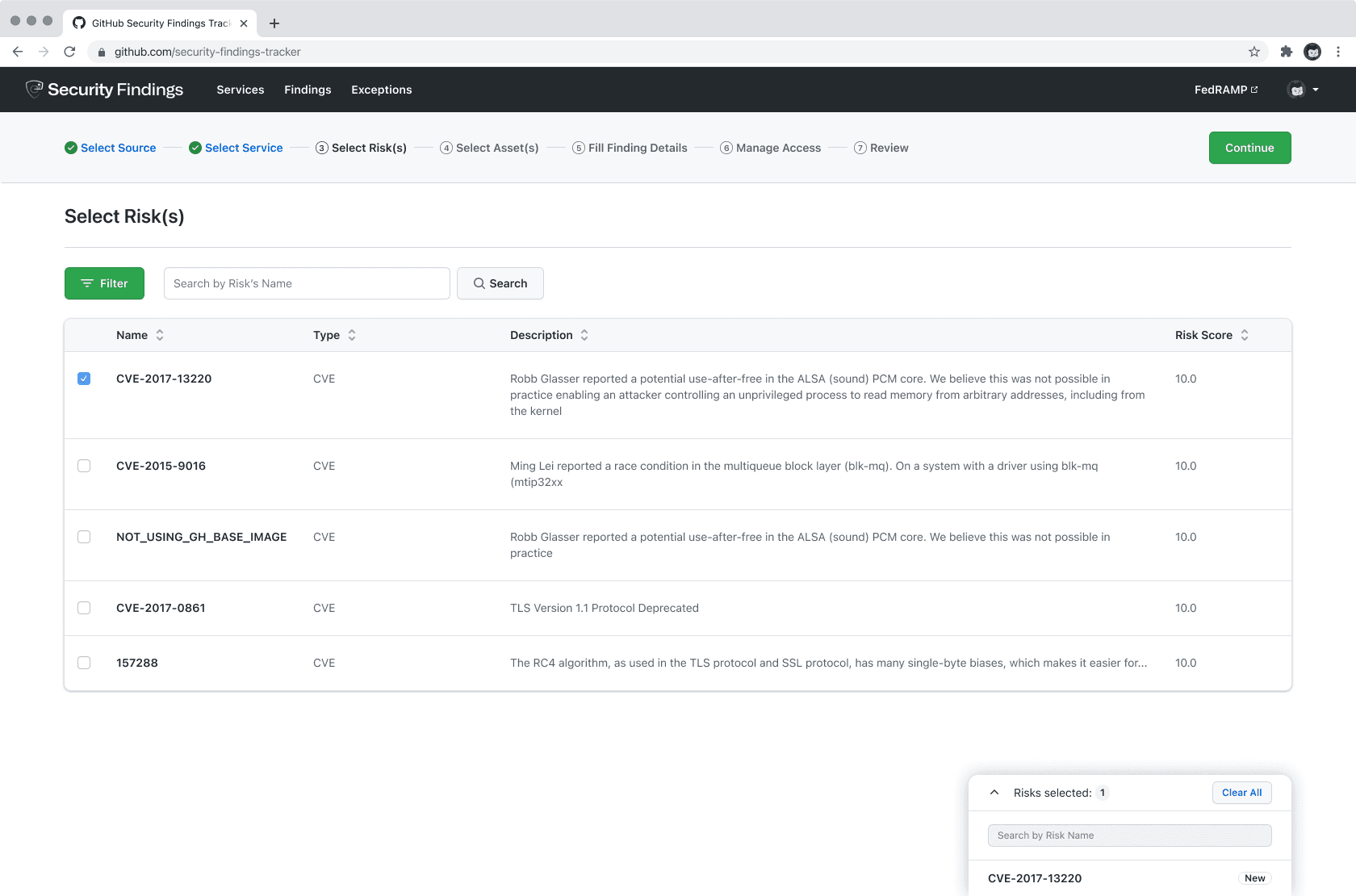
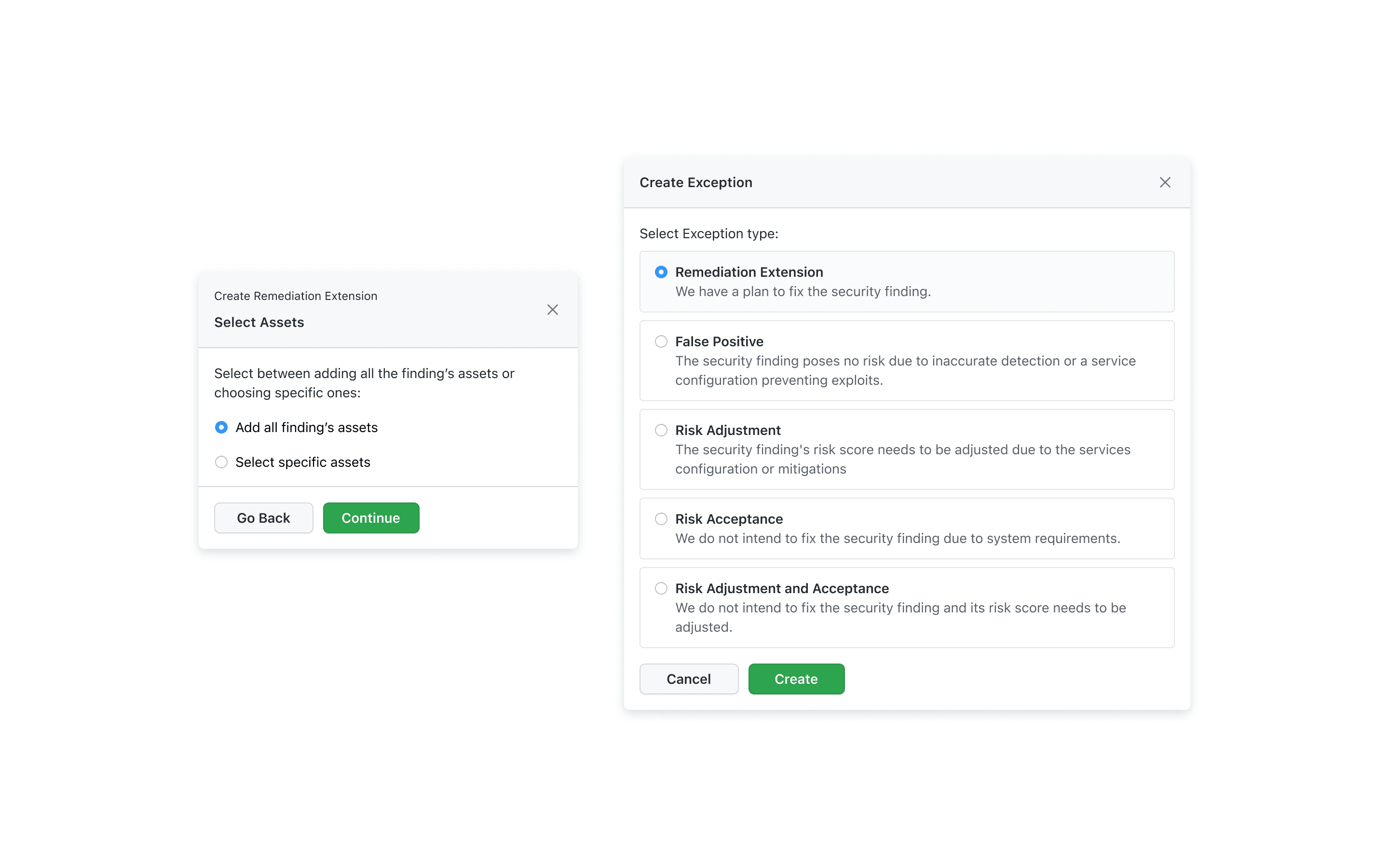
Exceptions — flagging a finding as a false positive or an accepted risk.
Challenges
Designing one product for two different altitudes
The hardest part was designing for two genuinely different users inside the same product: executives who need a high-level health signal across the whole organization, and managers who need to act on one specific alert right now. A dashboard built for the executive view buried the specific alert a manager needed; a dashboard built for taking action gave an executive no sense of overall risk. I built a layered view system instead of picking one audience over the other — the same underlying data, surfaced at the altitude each role actually needed, so an executive could see organizational health at a glance and a manager could drop straight into the one finding they were responsible for.
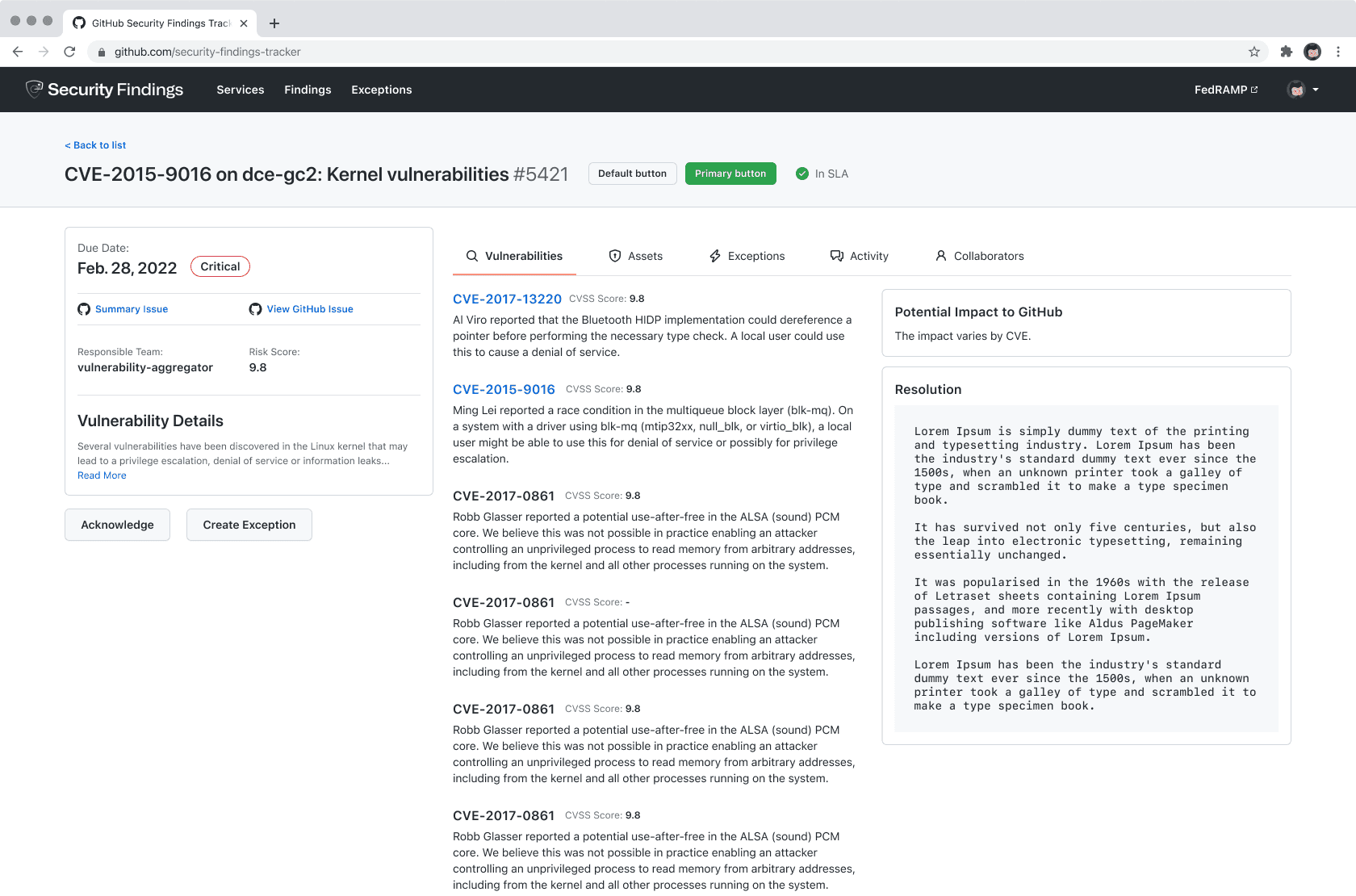
The manager altitude — one vulnerability, its severity, impact, and a recommended resolution.
Strategic Contributions
What I owned, start to finish
My role covered the full workflow design — the alert-tracking model, the layered executive and manager views, the assignment and accountability system, and the remediation flow through to resolution, all designed in Figma.
The Final Phase
Good security UX is invisible until something goes wrong
Engineering managers gained a clear line of sight from alert to resolution — no more dropped issues or unclear ownership.
There’s no adoption number I can point to here — the real change was structural: security workflows that used to stall on ambiguity now move through a defined, accountable process, whether you’re the executive checking overall health or the manager closing out one finding.
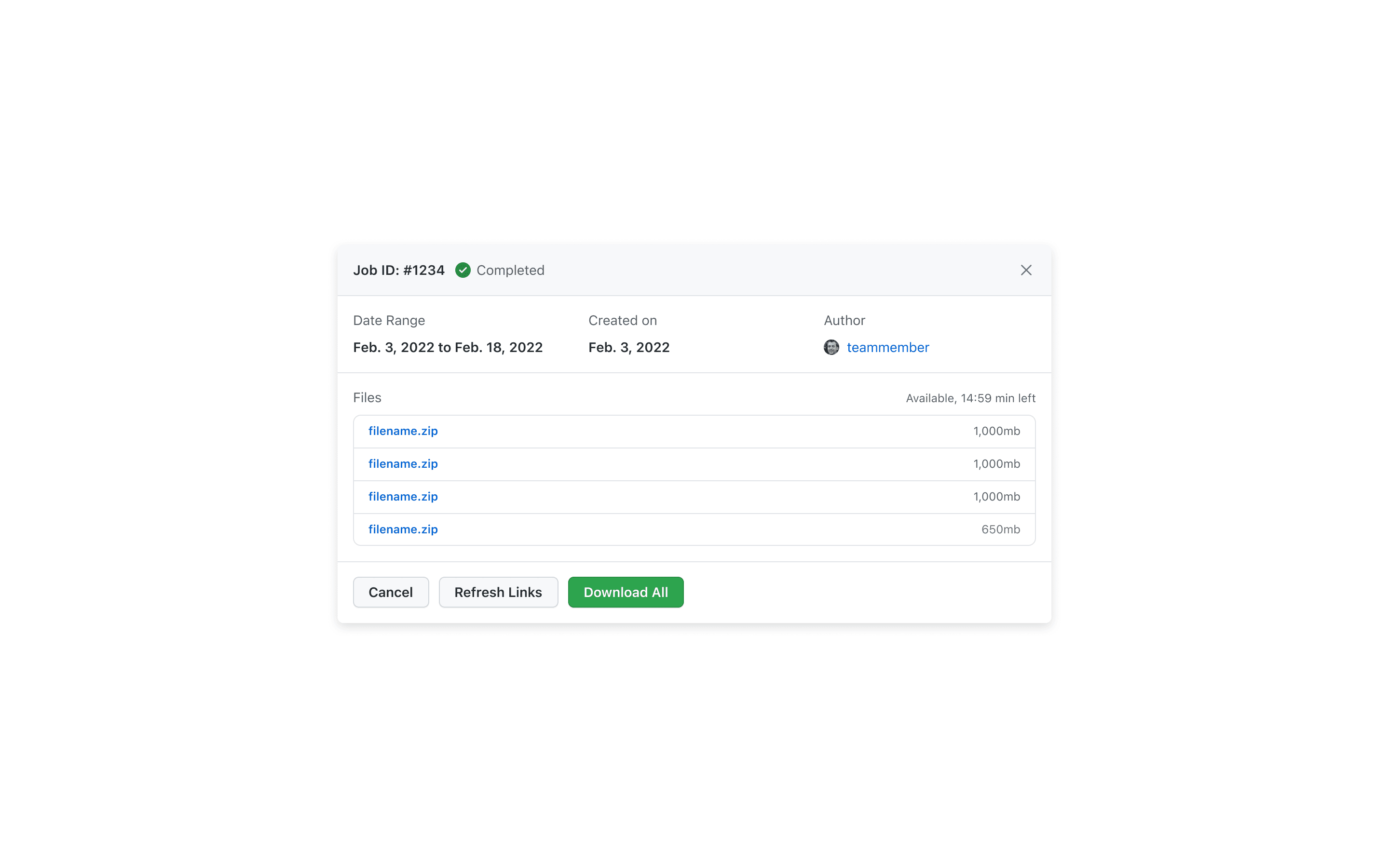
A completed remediation, exported once resolved.
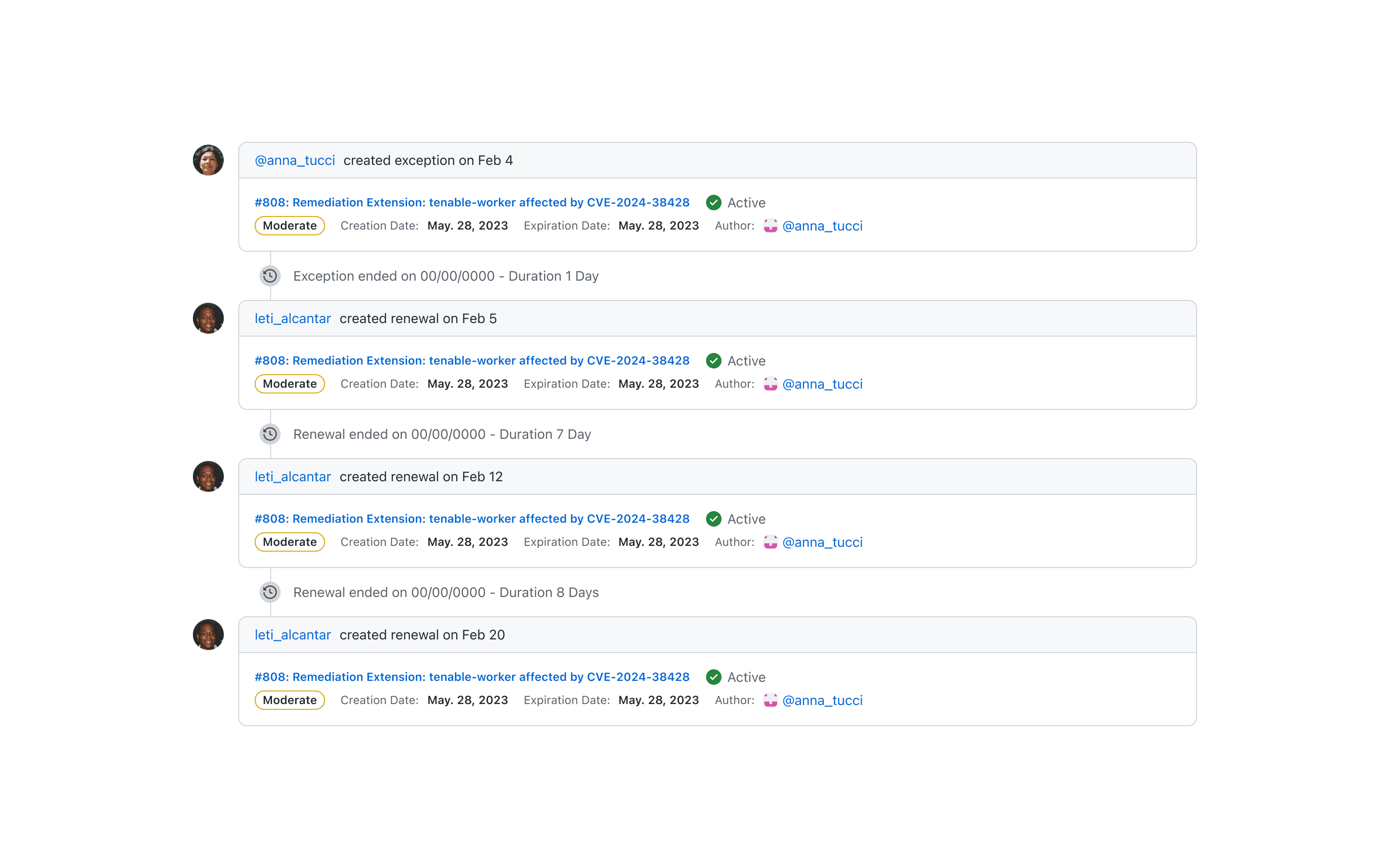
Activity feed — recent exceptions and status changes.
Audit trail — risk history by section and question.
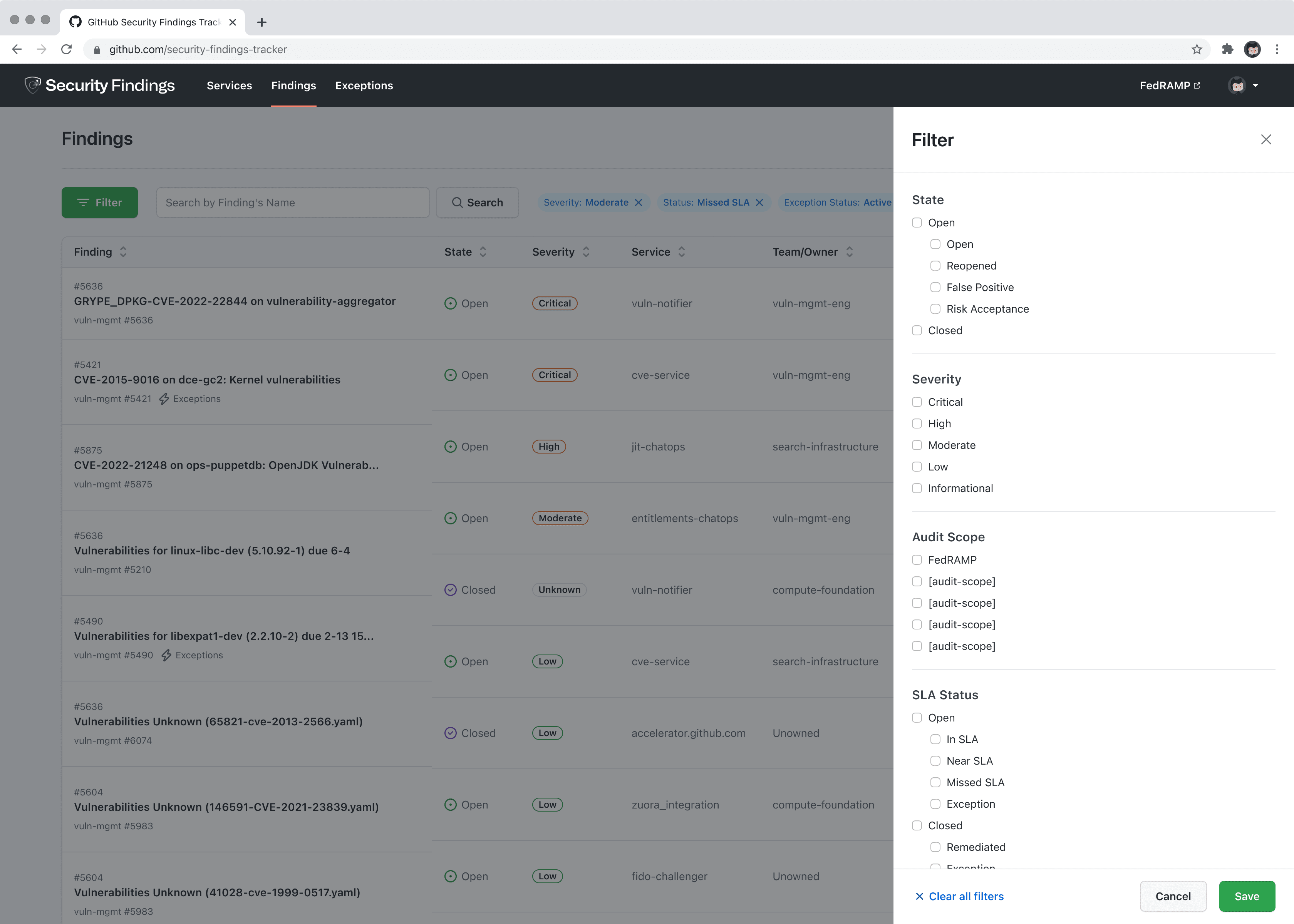
The full audit table — every tracked finding and its resolution status.